

『Flow Meter Reading Guide: How to Read Mechanical Dials, Odometers, and LCD Totalizers』Related information(flow rotameter|digital flow meter|balo meter|hydraulic flow meter|volumetric meter|positive displacement meter|pitot tube flow meter|displacement meter|cfm meter|variable area flow meter|inline flow meter|differential pressure flow meter|calibrated flow meter|velocity meter|paddle wheel flow meter|oval gear flow meter|anemometer hvac|multiphase flow meter|doppler flow meter|thorpe tube flowmeter|heat flow meter)

Flow Meter Reading Guide: How to Read Mechanical Dials, Odometers, and LCD Totalizers
Quick Answer: For mechanical dial registers, read the dials left to right and use the lower number when the pointer is between two digits. For odometer registers, record the number and multiply by the factor on the meter nameplate. For LCD totalizers, separate the total flow from the resettable batch value and check the units first.
Why Correct Flow Meter Reading Matters in Industrial Sites
Operators in water treatment plants, oil depots, and chemical dosing skids read totalizers daily. A wrong reading can lead to billing errors or batch mistakes. Because this risk is high, totalizer legibility matters. Silver Automation Instruments supplies flow meters with mechanical dial, odometer, and LCD totalizer options for customers in Southeast Asia, Oceania, Latin America, Africa, and the Middle East.
Here is the thing. Reading errors happen more often with mechanical dials than with digital displays. The pointer position between two numbers confuses new technicians. Most engineers skip this part during training. We have seen this problem on customer sites many times.
How to Read a Mechanical Dial Flow Meter
Mechanical dial registers appear on oval gear flow meters, turbine meters, and some positive displacement meters. The dial set usually includes a large sweep hand and several small circular dials. Each small dial has a scale from 0 to 9.
Read the small dials from left to right. If a pointer sits between two digits, take the lower digit. For example, if the pointer is between 5 and 6, record 5. The only exception is when the next dial to the right has passed zero. In that case, the left dial value is the higher digit. This rule confuses many operators on diesel fuel delivery skids.
A concrete example helps. A paint manufacturer in Vietnam uses an oval gear flow meter with a mechanical dial for solvent batching. The operator reads four dials. The first dial points to 3, the second sits between 7 and 8, the third points to 9, and the fourth points to 2. The next dial to the right of the second one has not passed zero, so the value is 3, 7, 9, 2. The batch total is 3792 liters.
Always check the multiplier printed on the meter face. Some dials say x10, x100, or x1000. Multiply the dial reading by that factor before writing the logbook value.
How to Read an Odometer Register on a Flow Meter
Odometer registers look like a car mileage counter. They are common on electromagnetic flow meters, ultrasonic flow meters, and turbine flow meters. The register shows total flow in a straight row of digits. Some odometers include one or two red digits for decimal fractions.
Read the odometer exactly as it appears. Do not reset it unless the meter manual allows a reset. For a water distribution line in Malaysia, a DN150 electromagnetic flow meter may show 0086421.3 m³. Record 86421.3 cubic meters. If the odometer has a multiplier such as 0.1 or 10, apply that factor.
Mechanical odometers can have partial digit alignment issues. If a digit is between two numbers, use the lower number unless the digit to its right has rolled past zero. This is the same rule as mechanical dials but with a straight numeric row. Check the unit label on the faceplate. It may be L, m³, gal, or kg depending on the meter type.
For billing and inventory, take a photo at the same time each day. A water treatment plant in Chile reduced reading disputes by 30 percent after introducing daily photo logs for their odometer totalizers.
How to Read an LCD Totalizer Flow Meter
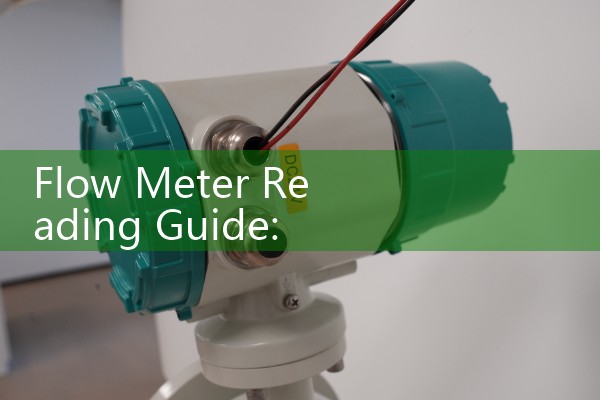
LCD totalizers appear on Coriolis mass flow meters, electromagnetic flow meters, ultrasonic flow meters, vortex flow meters, and thermal mass flow meters. The display may show total flow, batch flow, flow rate, temperature, and density at the same time.
First check the units on the screen. A Coriolis meter may show kg/h for mass flow and kg for total mass. An electromagnetic meter may show m³/h for flow rate and m³ for total volume. If the display toggles automatically, wait for the total screen or press the scroll button once.
Many LCD registers have a resettable batch total and a non-resettable cumulative total. The cumulative total is used for billing and audit. The batch total is used for filling or dosing. Do not mix them. A food and beverage plant in Indonesia uses a Coriolis mass flow meter for syrup dosing. Operators record the batch total after each run and compare it with the recipe target.
Some u
If the LCD is blank, check the power supply and the loop wiring. A 4-20 mA HART loop can power some totalizers. A paperless recorder may also display the total via Modbus RTU. Confirm the meter model and input signal before replacing any component.
Common Mistakes That Lead to Wrong Flow Total Readings
Wrong unit assumption is the most common error. A user reads 1250 on an LCD screen and writes 1250 m³. The actual unit was L. The real total was 1.25 m³. This mistake can distort water balance reports.
Ignoring the multiplier on mechanical dials is another issue. A meter with a x10 dial multiplies the reading by 10. Missing this factor underreports the flow by a factor of 10.
Mixing cumulative and batch totals is common on dual display meters. A chemical terminal in Brazil once logged the batch total as the daily transfer volume for a solvent shipment. The stock reconciliation failed until the operator checked the cumulative register.
Reading a pointer from the wrong side can also introduce a one digit error. Always read the dial face straight on. Parallax error matters on small dials. Some meters have a mirror strip behind the pointer to help with alignment.
How to Choose a Flow Meter with a Legible Totalizer
For local reading without power, choose a mechanical dial or mechanical odometer totalizer. Oval gear flow meters and turbine meters often include these options. They work well for diesel, fuel oil, solvents, and clean water.
For remote monitoring or batching, choose an LCD totalizer with pulse, 4-20 mA HART, or Modbus output. Electromagnetic and Coriolis meters from Silver Automation Instruments can drive a local display and a control room input at the same time.
For hazardous area sites, specify ATEX Zone 1 or Zone 2 approval. For high accuracy mass flow, a Coriolis meter with an LCD totalizer is a common choice for chemical and food plants. For conductive liquids, an electromagnetic flow meter with a clear odometer or LCD register is often the most cost effective option.
Send us your process data before you order. Include fluid type, pipe size from DN15 to DN400, pressure in bar, temperature in °C, and flow range in kg/h or m³/h. For viscous fluids above 100 cP, an oval gear meter with a mechanical dial or an LCD batch register is a common option. For water with conductivity above 20 µS/cm, an electromagnetic flow meter with a clear odometer or LCD totalizer is often the most cost effective option.
FAQ About Flow Meter Reading
What is the difference between total flow and flow rate on an LCD meter? Flow rate is the current speed of the liquid or gas. Total flow is the accumulated volume or mass over time. Check the units on the screen before recording either value.
How do I read a mechanical dial when the pointer is exactly on a number? Look at the next dial to the right. If the next dial has passed zero, read the exact number. If the next dial has not passed zero, read the lower number. This rule avoids over counting by one unit.
Can I reset a mechanical odometer totalizer? Most mechanical odometers are non-resettable. Some batch registers have a reset knob. Check the meter faceplate or the manual. Do not force a reset on a sealed billing meter.
Why does my LCD totalizer show different units than the purchase order? The display may be configured in L, m³, gal, kg, or lb. Use the setup menu or a HART handheld to change the engineering unit. Record the change in the maintenance log.
What should I do if the totalizer reading is unstable? Check for air bubbles, sensor fouling, or a damaged cable. An unstable reading can also mean the flow is below the meter minimum range. Send a short video of the display to Silver Automation Instruments for a quick diagnostic review.
Contact Silver Automation Instruments for Totalizer Support
If your team needs help with flow meter reading or totalizer programming, contact Silver Automation Instruments. Send your fluid, pipe size, pressure, temperature, and flow range for a fast recommendation.
Tel: +86-135-1213-1526
WhatsApp: 86-135-12131526
WeChat: +86 13512131526
Website: flow-meter.com.au
 Hot Blog
 Related AD